When you walk into your favorite branch of Starbucks ready for your go-to drink, the last thing you probably think about is the hidden calories in that caramel drizzle or whipped cream. But what if you could see how those customizations impact your drink’s calories before you order? That’s exactly what the Starbucks Calorie Calculator is designed to help with.
In this post you’ll learn:
- What the calculator is and why it matters
- How it actually works under the hood
- Step-by-step how to plug in your drink
- How reliable the numbers are, and where to be cautious
- Smart tips to use it for lighter versions of your Starbucks favourites
Table of Contents
☕ What is the Starbucks Calorie Calculator?
The Starbucks Calorie Calculator is an interactive tool (available online and via various independent hosted sites) that lets you build your drink with all the customizations you’ll request at Starbucks size, milk type, syrup pumps, toppings, etc and then see an estimate of the total calories, plus often sugar/carbs/fat.
For example: swap whole milk for almond milk, skip whipped cream, and the calculator shows your drink’s calories drop accordingly.
In short: It gives you transparency. Instead of guessing “maybe this latte is 300 calories,” you can see “okay, this was 250 calories after I changed these settings.”
🔍 How Does the Calculator Work?
Starbucks Calorie Calculator is not pure official but it is mostly depend upon the information available on starbucs website. Here’s a breakdown of the mechanism:
The tool uses a database of Starbucks beverage entries: sizes (Short, Tall, Grande, Venti, Trenta), standard menu items (lattes, flat whites, frappuccinos, cold brews) and their default calories. For many drinks, official nutrition info is available; the calculator pulls or approximates these values.
2. Customization adjustments
When you swap milk (say from 2% to almond), change syrup pumps, remove whipped cream or add toppings, the calculator recalculates. It uses the difference in calories between default ingredient and the one you selected. For example: “default whole milk adds X calories; almond milk adds Y calories => adjust total.”
3. Real-time feedback
As you adjust settings, the calorie total updates instantly (or near-instantly) so you see what your final build will likely cost in calories.
4. Estimates, not exact
A key caveat: these are estimates. Real-world pours, regional formulations, seasonal items, slight variations in syrup amounts or toppings mean the actual calories may differ. The tool usually includes a disclaimer.
☕ How to Use Starbucks Calorie Calculator?
Here’s how you can use the calculator before your next Starbucks run: This is not your diet planner, but yes you can refer as approx, data for your calorie calculation.
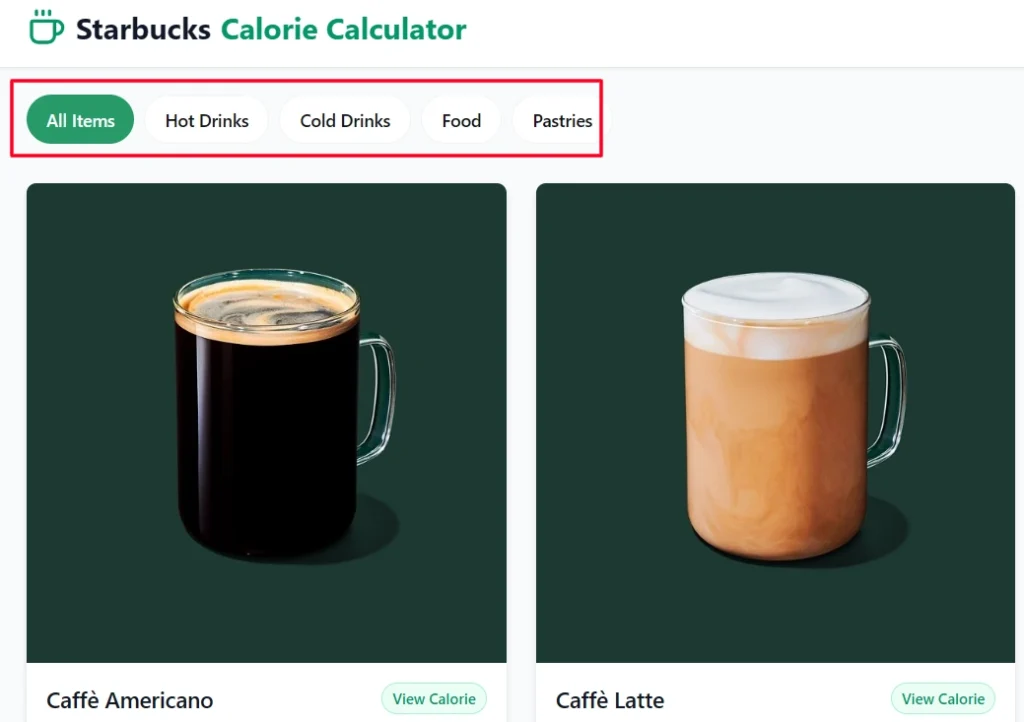
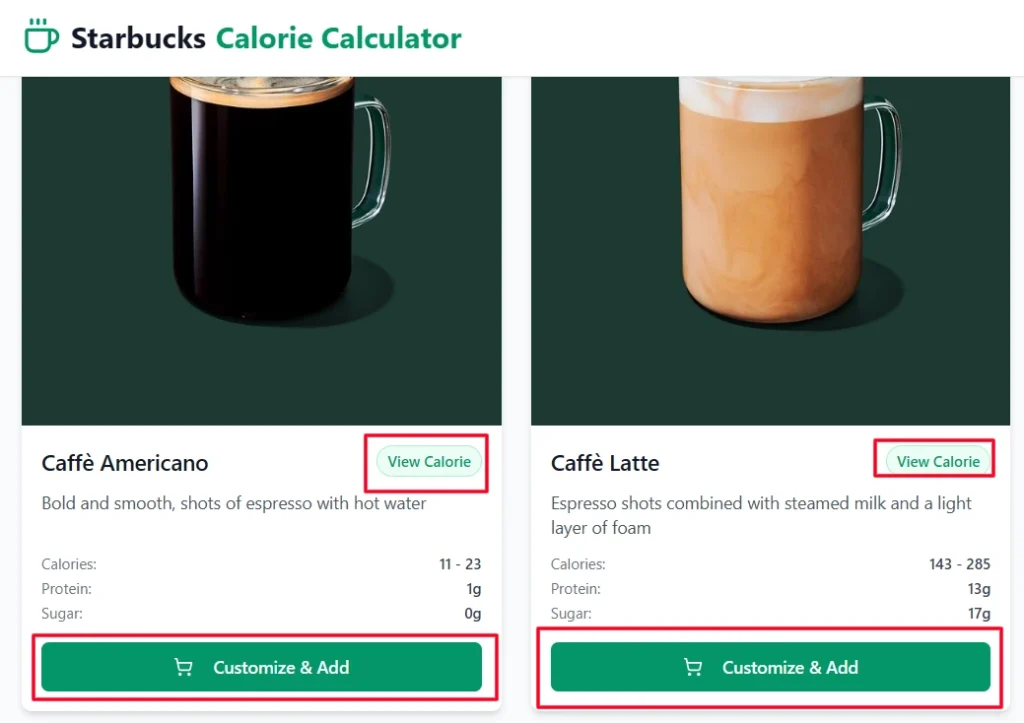
Step 1: First of all you need to visit the Menu page:- Visit Here, and you will see two option s on each item, view calorie, and Custmize button. You can Select the drink type (e.g., “Flat White”, “Caramel Macchiato”, “Frappuccino”).
Step 2: If you want to see calorie information for single item order you can use the view claorie option. but if you want ot calculate your entire meal then you should use Custmize and add to cart button.
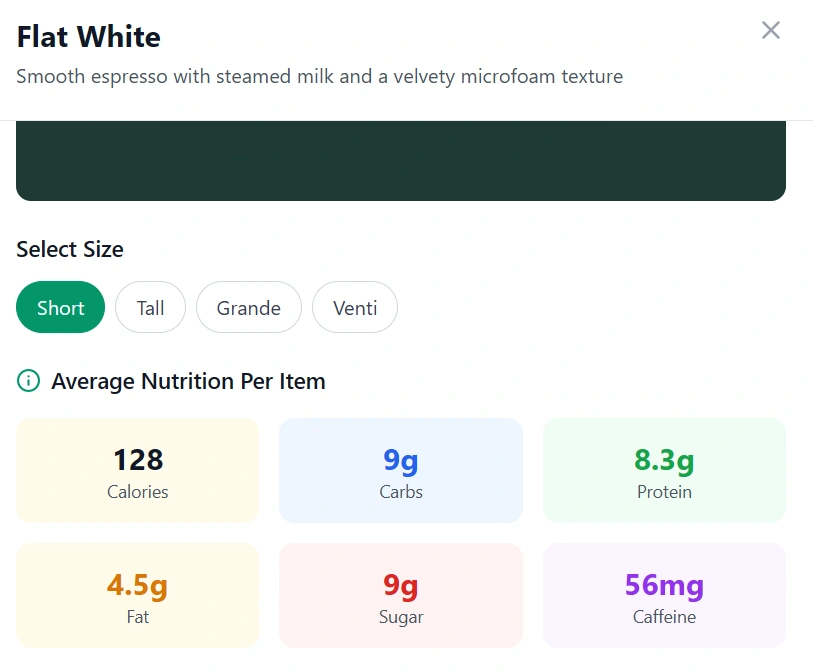
Step 3: Once you are done with custmization like, Drink Size, Meal Units, Addons like Milk and others you will see one button View Calculaiton.
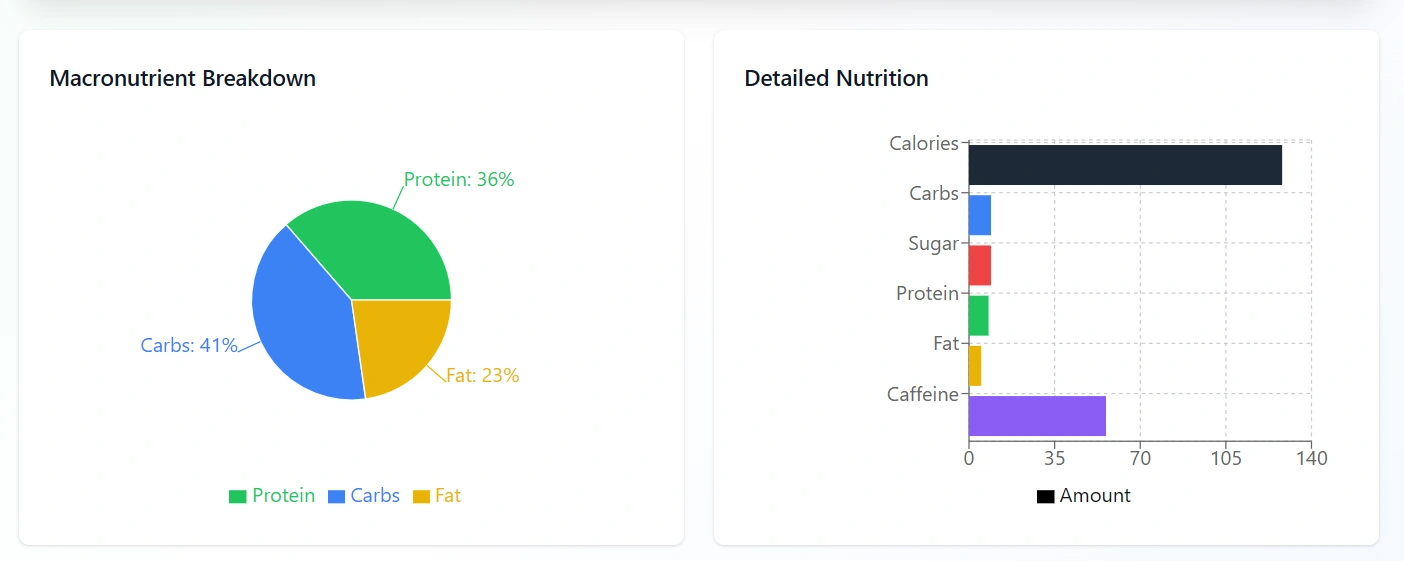
Thats it, the Calculation button will take you to the Calculation page where data is sorted in Nutritions, Calorie, Fat, Protein, etc.
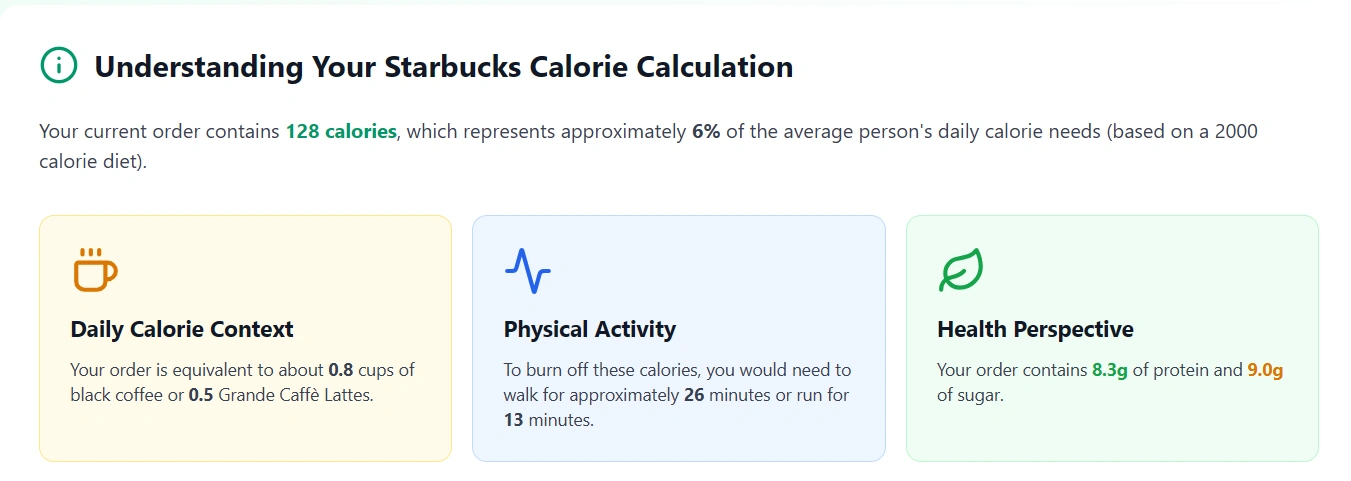
You will also see daily required calories for human body and how much workout is suggested to burn those extra calories consumed from your meal.
This gives you actionable information rather than guessing.
🧮 Why This Matters: Calories in Context
Understanding your drink’s calories helps for several reasons:
- If your daily calorie goal is ~2,000 calories, a single high-calorie drink (say 350-450 calories) can take up 15-20% or more of that allowance just by itself.
- Knowing the calorie cost before you order helps you balance what you eat the rest of the day — or choose a lighter version of the drink.
- It’s especially useful if you’re tracking macros (protein, carbs, fat), watching sugar intake, or aiming for weight management.
- It turns “I’ll just grab what I normally get” into “What can I tweak so I still enjoy it but stay on track?”
✅ Smart Uses & 🔄 Quick Tweaks
Here are some smart ways to use the calculator + tips to reduce calories:
- Use the calculator to compare two builds: default vs light-version. See the difference in calories and pick accordingly.
- Swap to lower-calorie milk (ex: almond or non-fat) → often saves 60-100+ calories.
- Reduce number of syrup pumps or skip sauces → big savings.
- Skip whipped cream or toppings like caramel drizzle / crunch topping → often 50-100 calories saved.
- Choose smaller size (Tall instead of Grande) or skip mix-ins.
- Use the calculator before you order, so you’re not making impulsive choices at the counter.
⚠️ Things to Keep In Mind (Limitations)
- Some drinks or seasonal items may not yet be represented accurately in the database.
- Ingredient amounts vary by location, by barista, by region, so the number is a guide, not a guarantee.
- Calories are only part of the nutritional picture: sugar, fat, protein, sodium also matter, and the calculator may or may not show full macro breakdowns.
- The tool depends on your correct input (size, milk, toppings). If you mis-select, you’ll get an inaccurate result.
- For people with dietary restrictions (allergies, medical conditions) always confirm in-store ingredient lists rather than relying solely on calculator estimate.
🌟 Final Thoughts: Why It’s a Game-Changer
The Starbucks Calorie Calculator brings transparency to the custom world of Starbucks drinks. With so many tweaks possible (milk, syrup, toppings), what used to be a guess becomes a well-informed choice.
When you use it:
- You can enjoy your favorite Starbucks drink and stay aligned with your health or fitness goals.
- You gain control over your order instead of letting “everything default” rack up hidden calories.
- You build a smarter coffee routine, where pleasure + awareness go hand in hand.
So next time you’re planning a Starbucks run, take 30 seconds to plug your build into the calculator. Your future self, and your fitness goals, will thank you.

